← All modules Facility · Inspection rounds

An issue spotted, a work order raised.

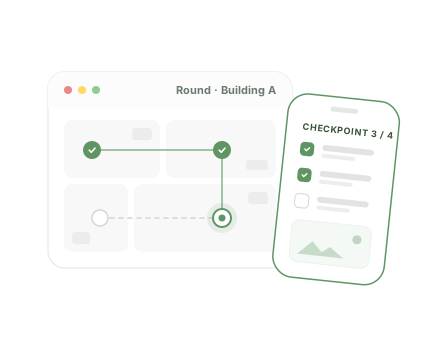
Your agents do their rounds on their phone, checkpoint by checkpoint, with photos. At closing, every non-compliance goes to the right provider automatically. No more lost round sheets, no more findings that go nowhere.
16features shipped
Guided rounds on smartphone
Non-compliance = automatic work order
PDF report ready to sign

Paper rounds leave no useful trace

Sheets nobody reads again

The round sheet is filled in, filed and forgotten. No way to see which checkpoint has been failing for weeks.

Issues that stay verbal

The agent mentions a problem in person or by text. Someone then has to write it up, qualify it and find the right provider.

No evidence for audits

Who checked what, when, and in what condition? Without photos or timestamps, the answer is approximate.

Reliable rounds, from setup to reporting

Security, opening and closing, cleanliness, technical checks: one tool for every route.

01

Round templates

3 features
  • Routes built for your sites A round is an ordered list of checkpoints, each linked to a location, or to one global location.
  • Versions that keep history intact Editing a template creates a new version. Past rounds stay true to what was actually checked.
  • Start in two taps The agent searches or taps a template, and the round starts with every checkpoint pending.
02

In the field

6 features
  • Step-by-step guidance “Step 3 of 12”: the agent knows where to go and what to check, no paper instructions.
  • Compliant or not Each checkpoint gets a status. Every non-compliance requires a comment: “What did you find?”
  • Several photos per checkpoint Taken straight from the phone's camera and attached to the checkpoint.
  • Location and issue type For a non-compliance, the agent sets the location and category, among those enabled there.
  • Locked closing A round can't be closed while a checkpoint is pending. Once closed, it can no longer be edited.
  • Resume an interrupted round A started round can be resumed. The dashboard flags the ones still to finish.
03

From finding to fix

3 features
  • Work orders created automatically At closing, every non-compliance becomes a work order: description, location, category and photo, no retyping.
  • The right provider notified The work order follows the usual flow: the category's provider is notified by email.
  • The loop is closed From the round, you see the number and status of the work order it triggered.
04

Evidence and reporting

4 features
  • Every check timestamped Who checked each point, when, and who closed the round. Evidence that holds up in an audit.
  • PDF report per round Summary, detail of every checkpoint, photos and a sign-off page for the company and the provider.
  • Compliance rate over time Period report: average rate, non-compliances, day-by-day trend and comparison by round template.
  • Agents set up in 30 seconds A name and an email are enough. Deactivation without losing history.

A round, end to end

  1. 1 Start

    The agent opens the round template on their phone.

  2. 2 Check

    They validate each checkpoint, compliant or not, with comments and photos.

  3. 3 Close

    The round locks once every checkpoint has been checked.

  4. 4 Trigger

    Every non-compliance becomes a work order for the right provider.

  5. 5 Report

    PDF report for the round and compliance rate over the period.

Who does what, day to day

  • Round agent

    Does the round from their phone, photographs and qualifies non-compliances.

  • Facility manager

    Builds templates, manages agents, follows rounds and reports, can run a round themselves.

  • Service provider

    Receives the work orders raised from non-compliances, with photo and location.

FAQ

All about Inspection rounds

Do round agents need an app?

No. Rounds run in the phone's browser, with direct camera access.

Does it work without the Work orders module?

Yes. Rounds, photos and reports work on their own. With Work orders, non-compliances also become work orders automatically.

Can the provider sign the report?

Each round's PDF includes a sign-off page with signature areas for the company and the provider.

See Inspection rounds on your own use cases

A 30-minute video call with a facility services expert. We start from your sites, your current tools and the module that costs you the most, and we show you the application in real conditions.

  • A live demo of the application, not slides
  • Focused on your priorities, module by module
  • No commitment

Damien Dehoul

Founder, Task FM

Live demo, on your own use cases

Pick a time slot

30-minute video call with an FM expert. No commitment.