← All modules Employees · Onboarding / Offboarding

Arrivals ready, departures closed out.

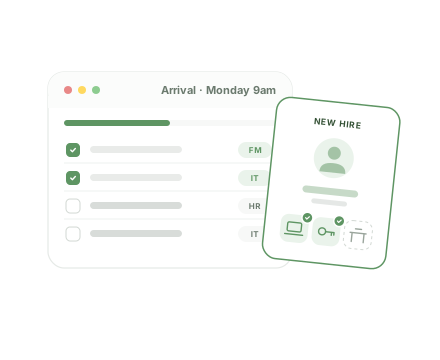
Your arrival and departure routines become reusable checklists. Assigned in one click, ticked step by step, dated and signed: nothing depends on anyone's memory any more.
9features shipped
Reusable checklist templates
Every step dated and signed
Full history per employee

Arrivals and departures, where things get forgotten

A different list every time

Each arrival is prepared from memory or an old Word file. Skip one step and the new hire waits for their desk.

Departures left open

The laptop isn't returned, the badge stays active, access isn't revoked. Nobody knows who was supposed to do it.

No trace

Six months later, there's no way to prove the equipment was collected or access was cut.

Standardised routines, simple and traceable

Deliberately simple: your steps, your templates, and proof that everything was done.

01

Checklist templates

3 features
  • Your routines as templates “Standard onboarding”, “Full exit”: ordered steps, written once and for all.
  • Duplicate to adapt Copy a template to adjust it for a team or site in seconds.
  • Several checklists per person Combine a general template with a specific one, and add more along the way.
02

Arrivals and departures

3 features
  • Assigned at creation When you add an employee, you pick the checklists that apply straight away.
  • Ticked step by step Each ticked box shows “Checked by… on…”. You know who did what, and when.
  • Leave and return Mark a departure, reactivate someone who comes back (fixed-term, intern, seasonal) without losing history.
03

Traceability

3 features
  • Full history Arrival, departure, reactivation, assigned checklists, steps ticked or unticked, with date and author.
  • A tamper-proof log Every action is stored as an event. Nothing is overwritten.
  • Search and filters Find an employee and filter by active or departed status.

A routine, from template to proof

  1. 1 Template

    You create your arrival and departure checklists.

  2. 2 Assign

    When adding the employee, you choose their checklists.

  3. 3 Tick

    Each completed step is ticked, dated and signed.

  4. 4 Prove

    The full history stays available at any time.

Who does what, day to day

  • Facility manager

    Creates templates, adds employees, assigns checklists and ticks steps.

  • Leadership

    Has a reliable record of every arrival and every departure.

FAQ

All about Onboarding / Offboarding

Can different teams have different routines?

Yes. Create as many templates as you need, duplicate them to adapt, and assign several to the same person.

What if an employee comes back?

You reactivate them. Their full history is kept.

See Onboarding / Offboarding on your own use cases

A 30-minute video call with a facility services expert. We start from your sites, your current tools and the module that costs you the most, and we show you the application in real conditions.

  • A live demo of the application, not slides
  • Focused on your priorities, module by module
  • No commitment

Damien Dehoul

Founder, Task FM

Live demo, on your own use cases

Pick a time slot

30-minute video call with an FM expert. No commitment.